|
|
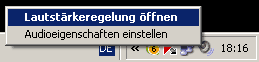
The microphone is too quiet or does not work. What can I do?Windows XP:Click with the right mouse button on the speaker icon (on desktop
bottom right) In new window select Options →
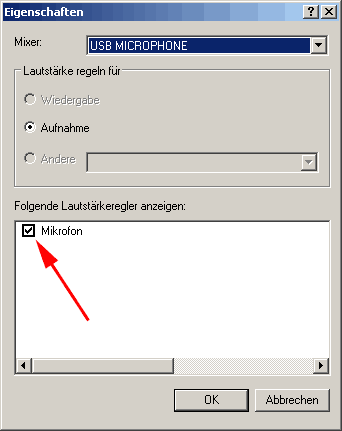
Properties
In this new window, select USB MICROPHONE and ensure that the "microphone
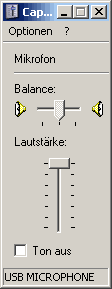
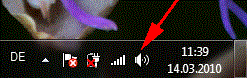
volume control" is selected. . Confirm with OK, it opens volume control for USB microphone Set the level to 100%. Windows 7, 8, 10If the microphone was not recognized, please restart Windows. Click with
the right mouse button the speaker icon Windows 8 (desktop mode) The same procedure as in Windows 7 If the microphone still not recognized, please do the following:
Windows 10 (desktop mode) The same procedure as in Windows 7. What recording software do you recommend?Actually you can use any recording software with our mic. Among free software we can recommend AUDACITY.
The left channel is much louder than the right. What can I do?Please make sure that in your recording software mono mode is on. In AUDACITY : Firstly select
USB microphone as the default device: Secondly turn
on mono mode:
In my internet radio software, there is no Mono / Stereo settings. How can I configure the microphone for stereo operation.You can use an external plug-in Somewhat mono. for example
in SAM:
I can not save my file as MP3. What can I do?Select in AUDACITY File → Export as MP3 ... If there is
no Lame codec, please download this:
|
|